Hey, | Welcome to AlphaSignal, your weekly guide to the latest and most promising developments in the world of AI.
Let's get into it,
Lior |
|
|
|
IN TODAY'S EMAIL | | Reading time: 4 min 17 sec |
|
|
|
HIGHLIGHT REPO | NVIDIA Launches RTX - A Personalized LLM Chatbot | 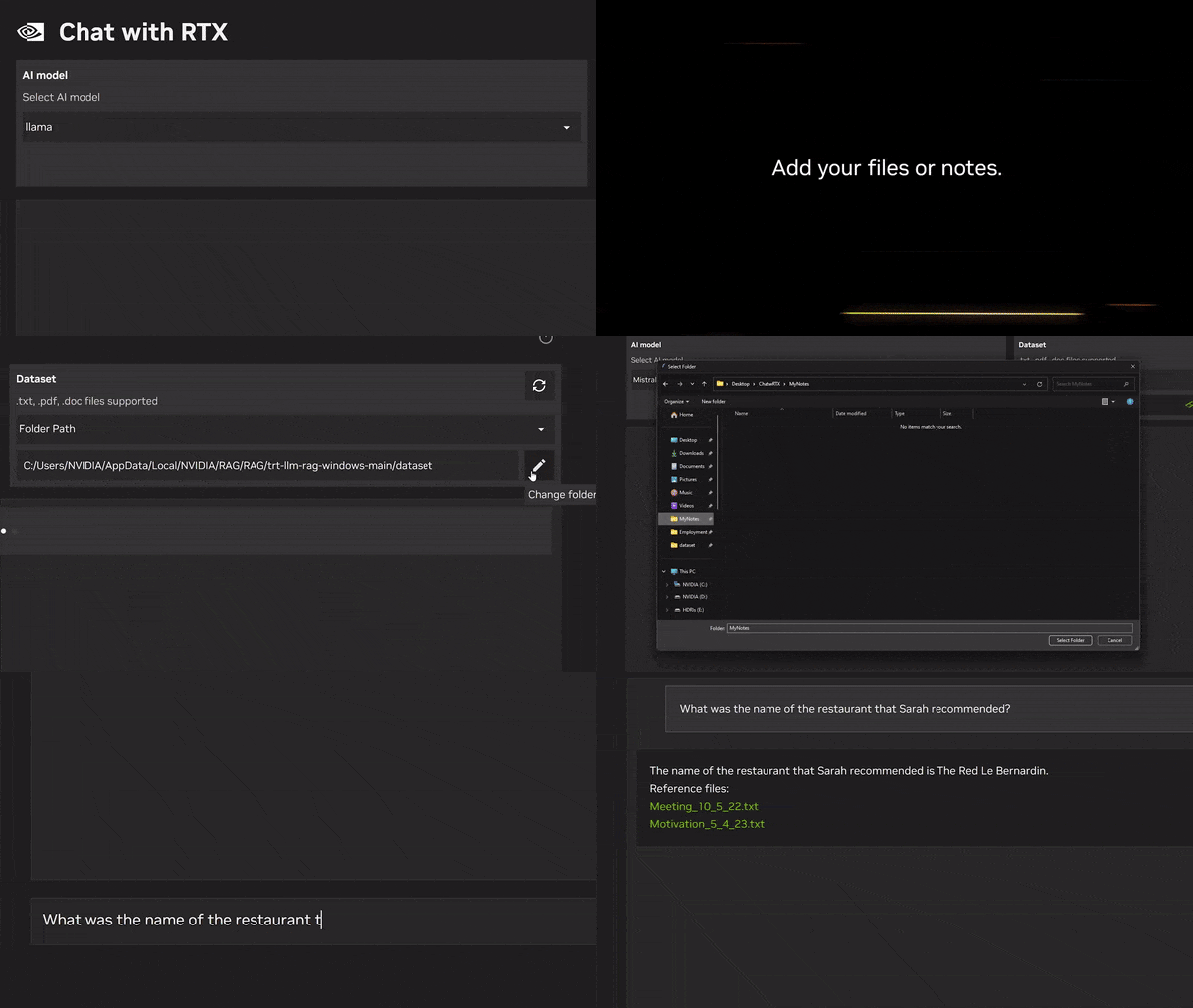 | What's New | Nvidia just released "Chat with RTX" a local app that allows you to create a personal AI chatbot (LLM) based on your own content.
Rather than searching through notes or saved content, users can simply type queries. For example, one could ask, “What was the restaurant my partner recommended while in Las Vegas?” and Chat with RTX will scan local files the user points it to and provide the answer with context.
Key Features: - Retrieval-Augmented Generation (RAG): Uses Mistral or Llama 2 LLMs for text generation, accelerated by TensorRT-LLM for faster response times.
- Local Processing: Runs entirely on an RTX 30/40 GPU (≥8GB VRAM) and Windows PC, avoiding cloud latency and privacy concerns.
- Data Ingestion: Supports various formats like txt, pdf, docx, and xml, alongside YouTube video transcripts
Potential Applications: - Data research: Analyze personal documents, transcripts, or videos for specific information with near-instant results.
- Content summarization: Quickly grasp key points from YouTube videos or lengthy documents.
- Fact-checking: Verify data points within PDFs or other sources.
Current Limitations: - Early Demo: Known issues include inaccurate source attribution, context-free responses, and crashes with large datasets.
- Resource Intensive: Installation requires 40GB disk space and consumes ~3GB RAM, potentially impacting system performance.
| | Try chat with rtx |
|
|
|
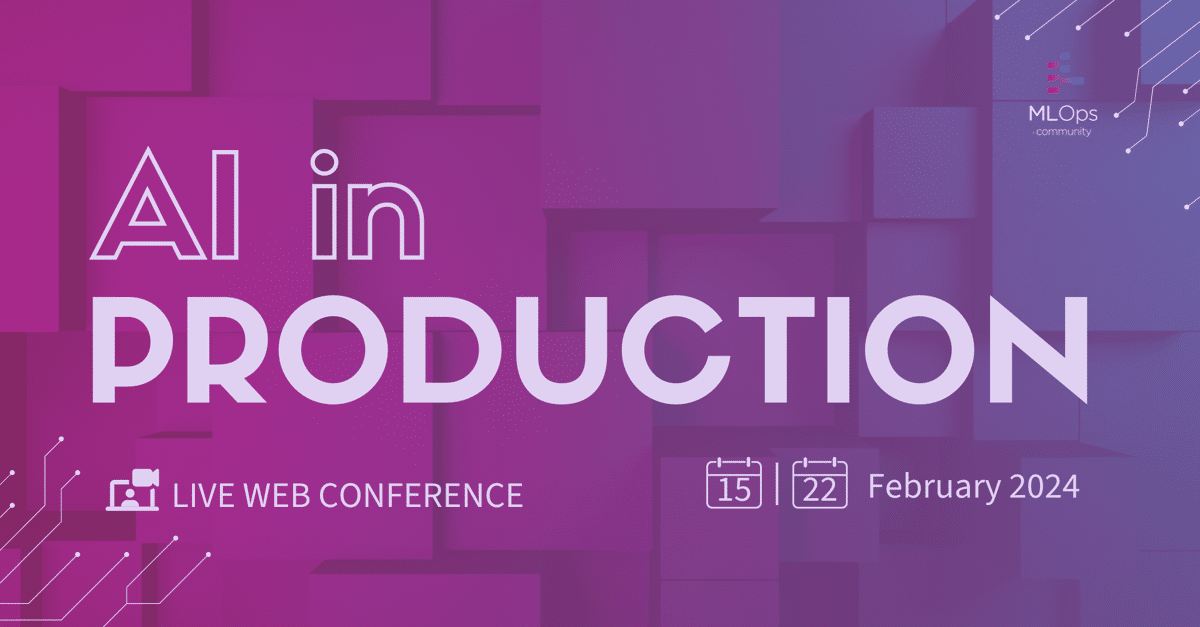 | Don't Miss The Best Web Conference: AI in Production
Large Language Models have taken the world by storm. But what are the real use cases? What are the challenges in productionizing them?
In this event, you will hear from practitioners about how they are dealing with things such as cost optimization, latency requirements, trust of output and debugging. 70+ speakers from tech companies like Netflix, Uber, Doordash, Microsoft, Google, LinkedIn, Databricks and also top AI startups like Perplexity AI, HuggingFace and Cohere.
The event is 100% virtual taking place on two thursdays feb 15th and 22nd
3 tracks: one for engineering, one for AI product folks and one workshop track
The breaks will be full of live musical improv, games and guided meditations
The best part? It's completely free.
| | Register now | partner with us | |
| |
|
|
TOP NEWS | --------------------- OpenAI's latest ChatGPT update introduces memory across chats, enhancing personalization. Users can manage, delete, or disable this feature, ensuring privacy. Initially limited to select users, a wider rollout is planned, aiming to improve user experience with controlled data handling. | | --------------------- Cohere For AI launched Aya, an open-source, multilingual LLM covering 101 languages, with a 513M-item dataset. Developed by 3,000 researchers, Aya is one of the largest open science endeavors in machine learning to date. The result is a fully open-sourced dataset and model. | | --------------------- Apple unveiled MGIE, an open-source AI for instruction-based image editing using multimodal large language models (MLLMs) for natural language processing and pixel-level manipulation. MGIE allows Photoshop-style modifications and both global and local photo optimizations through expressive, instruction-derived edits. | |
| |
|
|
Dive Into The Future Of Driving And Master Computer Vision In Autonomous Vehicles Unlock secrets to enhance safety, reliability, and real-time decision-making. Discover rigorous testing methodologies for unmatched system performance. Tackle the unique challenges of vision technology in self-driving cars.
Reserve your spot in our exclusive webinar today – don’t miss out!
Register Now → | |
| |
|
|
TUTORIAL | How to Fine-Tune an LLM more efficiently with QLoRA | Parameter-efficient training (PEFT) techniques offer a way to fine-tune large language models (LLMs) on custom datasets with minimal computational resources. Those techniques only update a small number of parameters during the fine-tuning process, and freeze the rest.
LoRA is a PET technique that fine-tunes two smaller matrices that approximate the model. Its Quantized version, QLoRA, uses a smaller precision on those two proxy matrices.
Here's a broad overview of how to use QLoRA to fine-tune an LLM.
1. Install Required Libraries Key Libraries: bitsandbytes for efficient model loading and quantization. transformers for pre-trained models and utilities. peft for parameter-efficient fine-tuning.
2. Prepare the Model for QLoRA 5. Tokenization and Pre-processing Configure the tokenizer with necessary settings for optimal memory usage. Pre-process the dataset to match the model's expected input format (completion, summarization, sentiment analysis, etc). Tokenize the pre-processed dataset, batch and shuffle it.
6. Fine-Tuning with QLoRA Prepare the model for QLoRA using the prepare_model_for_kbit_training() function of the peft library . Define a LoraConfig for fine-tuning, specifying ranks, modules, and other parameters using the peft library, and update the model using this config. Use transformers.Trainer with custom training arguments to fine-tune the adapter.
Code Snippet for Fine-Tuning Setup: |
from transformers import (TrainingArguments, Trainer)

from peft import (LoraConfig, get_peft_model
                  prepare_model_for_kbit_training)

# Prep QLoRA model
model = prepare_model_for_kbit_training(
    pretrained_model)

# Set LoRA config
lora_config = LoraConfig(r=32, lora_alpha=32,
    target_modules=['q_proj', 'k_proj',
        'v_proj', 'dense'])

# Get PEFT model
peft_model = get_peft_model(
    model, lora_config)

# Training args
training_args = TrainingArguments(
    output_dir='./results',
    num_train_epochs=3,
    per_device_train_batch_size=4,
    logging_dir='./logs')

# Init Trainer
trainer = Trainer(
    model=peft_model, args=training_args,
    train_dataset=train_dataset,
    eval_dataset=eval_dataset)

# Fine-tune
trainer.train()
|
|
|
|
Want to promote your company, product, job, or event to 170,000+ AI researchers and engineers? You can reach out here. |
|
|
|
|
