
GitHub Opens Copilot App to All Users With Parallel Agent Control
GitHub drops the waitlist for its Copilot desktop app, opening agent-native development to all paid Copilot subscribers with new canvases, Agent Merge, and cloud sessions.
Takeaways
- Waitlist removed: The GitHub Copilot app technical preview is now open to all Copilot Pro, Pro+, Business, and Enterprise subscribers.
- Canvases introduced: New bidirectional work surfaces let humans and agents share a live, editable view of plans, PRs, terminals, and dashboards -- no more digging through chat transcripts.
- Agent Merge: Automatically monitors CI, addresses review feedback, fixes failing checks, and merges PRs when your conditions are met.
- Parallel sessions: Each agent session runs in its own isolated git worktree; the app handles all branch setup and cleanup automatically.
- New capabilities: On-device voice input, cloud sessions and automations, agentic browser control, and a rubber duck skill for thinking through problems before coding.
- No extra cost: The app is included with existing paid Copilot plans; Free tier access is coming soon. Heavy users should watch credit consumption with usage-based billing.
GitHub just opened the floodgates on its GitHub Copilot app. The waitlist is gone. The technical preview is now available to all existing Copilot Pro, Pro+, Business, and Enterprise customers. This is not another IDE plugin or a chat sidebar -- it is a fundamentally different kind of tool.
This is not an IDE extension. It's a new interface category: a control center for managing multiple parallel agent sessions, each running in its own isolated git worktree. The pitch is simple: your agents are already doing more work per session, so the bottleneck has shifted from writing code to managing the agents writing it. The Copilot app is built around that new reality.
The problem it's solving
While the agentic shift has made development faster, it's also led to disjointed workflows, more context switching, and too much time spent reviewing agent-generated code. If agents are going to be a durable part of how software gets built, they need a real place in the developer workflow. Yet most developer tools were not designed for directing multiple agents in parallel.
Context scatters across windows. You lose track of what's running. Code lands in pull requests without a clear trail of what the agent tried, what it validated, or where human judgment is needed. The Copilot app is GitHub's answer to all three of those problems at once.
How it actually works
Every session runs in its own git worktree -- a real, isolated copy of your branch. This helps parallel agent sessions work without stepping on each other. The app handles every worktree for you: no manual setup, no cleanup, no branch juggling. A git worktree, for context, is a way to check out multiple branches of the same repo simultaneously at different paths on disk -- the app automates all of that behind the scenes.

The central hub is the My Work view. From a single My Work view, you can see work in motion across connected repositories: active sessions, issues, pull requests, and background automations. You can start a session from an issue, a PR, a prompt, or even a local folder that isn't a git repo yet.
The headline feature: Canvases
This release is also where the app's center of gravity shifts. As agents do more per session, the work that falls to you changes into managing their output: reading chat transcripts, hunting for the diff that matters, and repeating yourself to course-correct. The headline addition in this release, canvases, is our answer to that shift. Canvases give agent work a place to take shape, become visible, and get verified.
Think of a canvas as a shared whiteboard between you and the agent. A canvas is a structured, interactive surface over a work object. That work object might be a plan, pull request, browser session, terminal, release checklist, migration board, incident, spreadsheet, dashboard, cloud console, or workflow state. The agent updates it as it works; you can edit, reorder, approve, or redirect directly on that same surface -- no digging through a chat transcript to find what changed.
This is the beginning of agent experience (AX) in the Copilot app: interfaces designed not only for people to use, but for people and agents to operate together. The agent session remains where you instruct, discuss, and reason through ambiguity. Canvases are where that intent becomes visible work you can inspect, steer, and verify.

Agent Merge: The PR pipeline on autopilot
Once code is written, getting it merged is still a grind -- CI failures, review comments, merge conflicts. Agent Merge helps carry that pull request through review, checks, and merge. It monitors CI, tracks required reviewers, addresses failing checks, and waits for all conditions to be satisfied. You choose how far Copilot should go: drive CI back to green, address feedback, or merge when your conditions are met.
Agent Merge will fix merge conflicts, CI failures, security alerts, and other common issues that pop up during the PR lifecycle, without you having to lift a finger. You stay in control of the policy -- the agent just executes within whatever guardrails you set.
What else shipped in this release
- Voice conversations: Talk to Copilot using on-device speech-to-text, so no audio leaves your machine.
- Cloud sessions: Run an agent session in the cloud directly from the app, the same capability behind
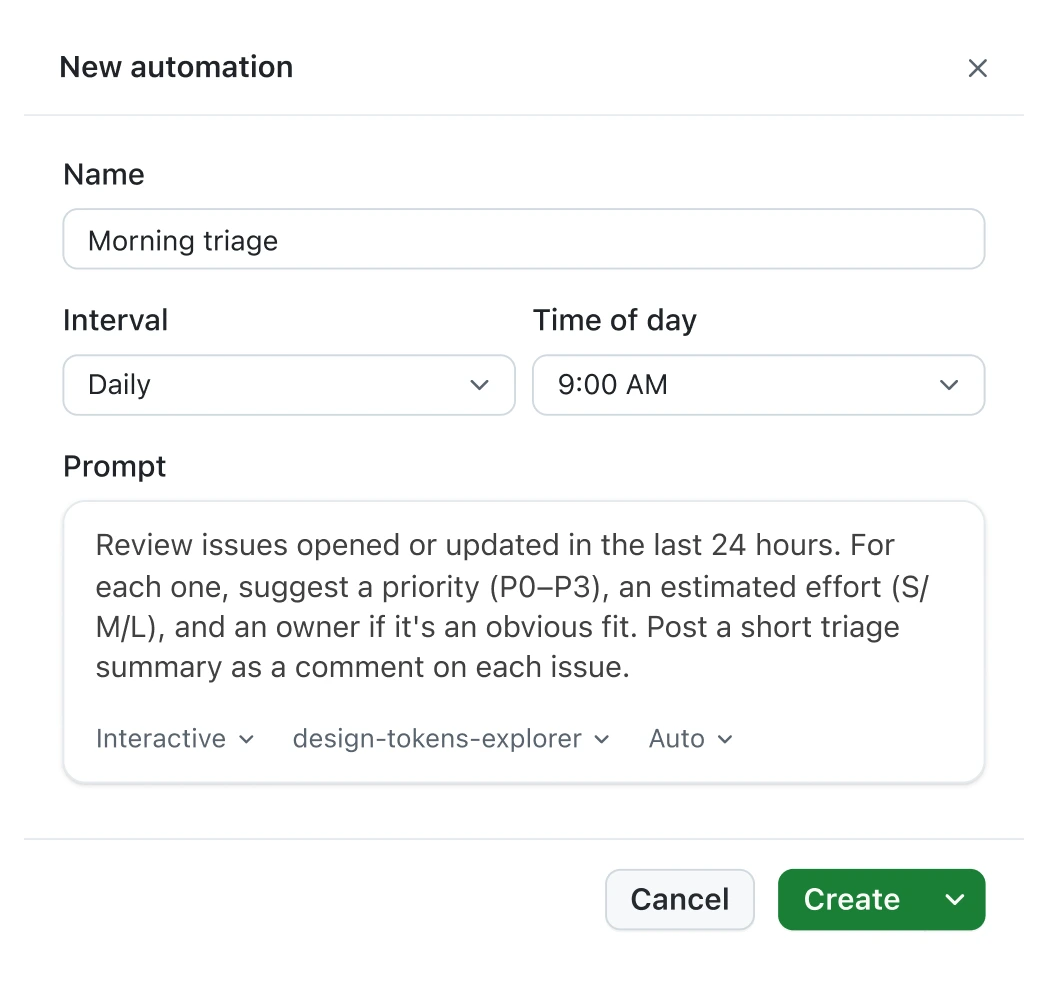
copilot --cloud, now in the app UI. - Cloud automations: Schedule an automation to run in the cloud, so recurring work doesn't depend on your machine being awake.
- Agentic browsing: The agent can now drive the integrated browser (e.g., click, type, take screenshots) to verify its own UI changes end to end.
- Rubber duck skill: A built-in skill that talks through a problem with you before you commit to an approach. Useful for the moments when the issue is your thinking, not your code.
/chronicle: Query data from any of your Copilot agent sessions, including ones you started outside the app -- useful for cross-surface continuity.- CLI sessions in the app: Sessions started in Copilot CLI now appear in your My work view, so both surfaces share one source of truth.
Extending the platform
The app connects to your existing MCP servers (external tool integrations) and custom skills, and you can build your own tooling on top of the same foundation. You can build your own tools with the GitHub Copilot SDK, now generally available in Node.js/TypeScript, Python, Go, .NET, Rust, and Java. Partner-built agent apps from LaunchDarkly, PagerDuty, Amplitude, Sonar, and others are also available directly inside the app.
Pricing and access
The app itself carries no additional cost beyond your existing Copilot subscription. Here's the current access breakdown:
- Copilot Pro ($10/mo): Full access to the technical preview
- Copilot Pro+ ($39/mo): Full access, with premium model access
- Copilot Max ($100/mo): Designed to support higher-volume usage without interrupting that flow -- the recommended tier for heavy agent workflows
- Business & Enterprise: Available now; admins must have previews and Copilot CLI enabled in policy settings
- Free tier: Access for Copilot Free users and new subscribers will be opening soon.
Note: Developer complaints about GitHub Copilot's new usage-based billing model have centered on unexpectedly rapid AI credit consumption, so if you're running multiple parallel agent sessions, keep an eye on your usage dashboard -- cloud sessions and Agent Merge will burn through credits faster than simple completions.
The bigger picture
Public coverage frames the Copilot app as an attempt to consolidate agent orchestration that today fragments across editors, terminals, and web UIs. The capabilities drawing the most attention -- parallel worktrees, sandboxed execution, and merge monitoring -- target the operational problems of concurrent agent activity and auditability rather than raw code generation.
The difference is that the Copilot app does not target people starting from scratch who want quick prototypes, but those working inside existing repositories with real review flows. If you're already deep in GitHub's ecosystem -- issues, PRs, Actions, branch protection rules -- this app slots directly into that workflow rather than asking you to rebuild it elsewhere. The official docs are the fastest way to get your first session running.