Nous Research's Hermes Agent Ditches CLI for a Full Browser Admin Panel
Nous Research's Hermes Agent gets a full browser-based admin panel, replacing YAML editing and CLI commands with a feature-complete web UI
Takeaways
- Nous Research overhauled the Hermes Agent web dashboard into a full browser-based admin panel.
- Covers 15+ management areas: config editor (150+ fields), API keys, sessions, cron jobs, MCP servers, webhooks, and messaging channels.
- The Chat tab embeds the full terminal UI in the browser via xterm.js WebGL, with no functionality loss vs. the CLI.
- Auth gate auto-engages on non-loopback binds; supports Nous Portal OAuth, username/password, and self-hosted OIDC (Keycloak, Auth0, etc.).
- Full REST API exposed for automation; new
/reloadCLI command picks up.envchanges without restarting. - Free, MIT-licensed, available now via
pip install 'hermes-agent[web,pty]'; runs entirely on your machine with no data leaving localhost.
Hermes Agent, the open-source autonomous AI agent from Nous Research, just shipped a major overhaul of its web dashboard. What was once a lightweight status page is now a full-blown browser-based admin panel that lets you manage nearly every aspect of your agent installation without touching a config file or terminal command.
The web dashboard is a browser-based UI for managing your Hermes Agent installation. Instead of editing YAML files or running CLI commands, you can configure settings, manage API keys, and monitor sessions from a clean web interface. It's the kind of quality-of-life upgrade that makes self-hosted AI agents accessible to a much wider audience.
From CLI-only to browser-first
Hermes Agent is an open-source autonomous AI agent built by Nous Research, released in February 2026. Hermes lives on your server, remembers what it learns, and gets more capable the longer it runs. It supports Linux, macOS, and WSL2 with no prerequisites, installing everything automatically via a single curl command. Until now, managing it meant wrangling YAML and CLI flags. The new dashboard changes that entirely.
Getting started is a single command:
pip install 'hermes-agent[web,pty]'
hermes dashboard
This starts a local web server and opens http://127.0.0.1:9119 in your browser. The dashboard runs entirely on your machine , no data leaves localhost.
What's actually inside the panel
The dashboard isn't just a pretty config editor. It covers the full operational surface of a running agent. Here's what each section does:
- Status , live overview of agent version, gateway state, active session count, and the 20 most recent sessions. Auto-refreshes every 5 seconds.
- Chat , embeds the full Hermes TUI directly in the browser using xterm.js with a WebGL renderer, so you get pixel-perfect terminal rendering without opening a terminal.
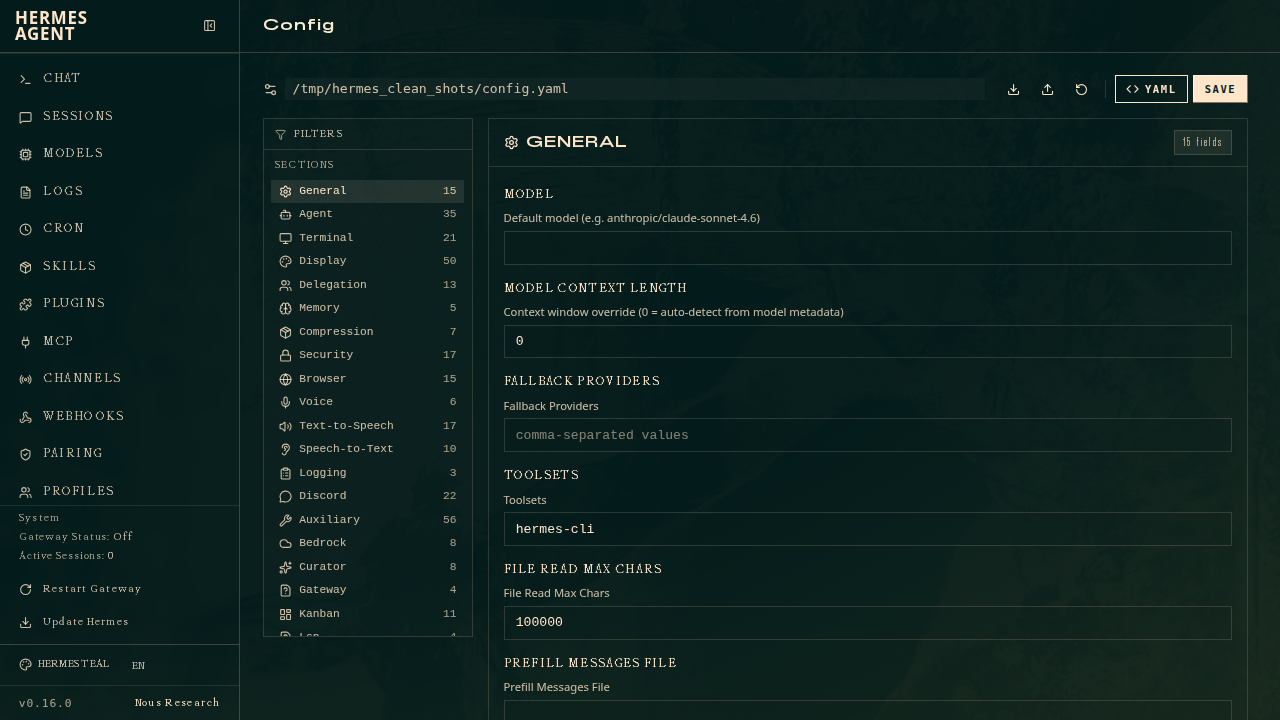
- Config , a form-based editor for all 150+ configuration fields, auto-discovered and organized into tabbed categories. Dropdowns for known-valid values, toggles for booleans.
- API Keys , manage the
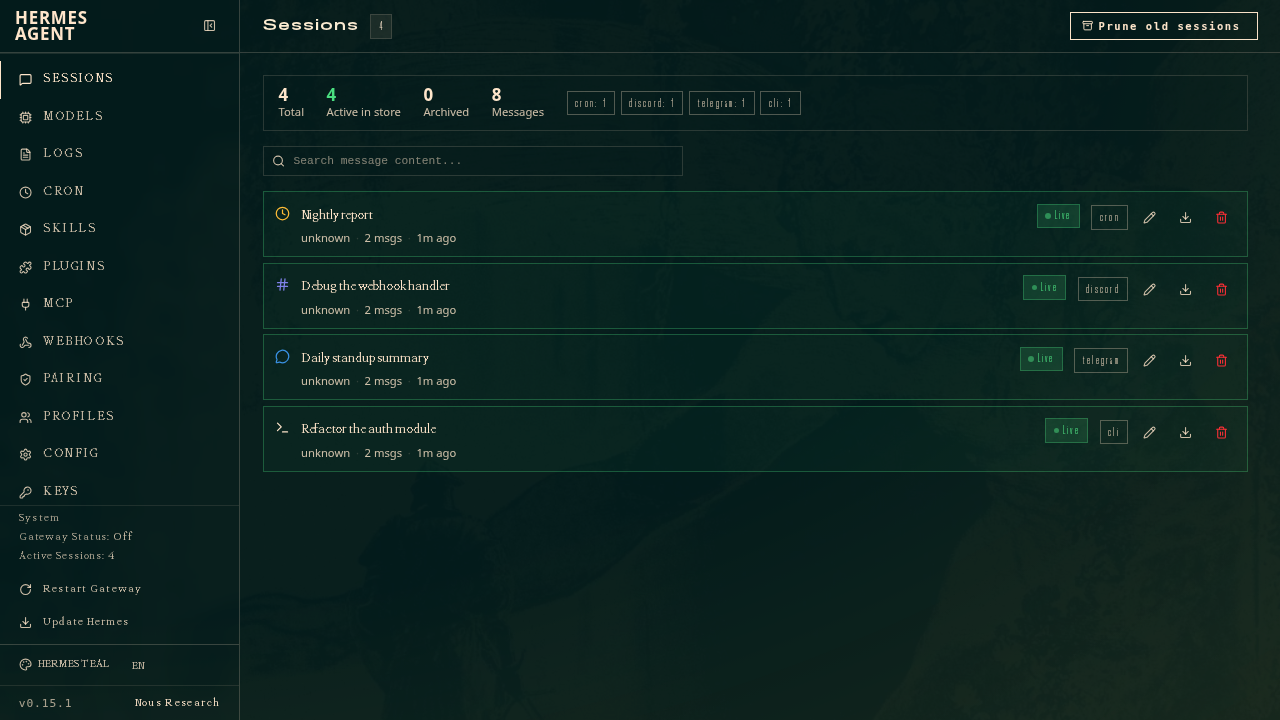
.envfile for LLM providers (OpenRouter, Anthropic, OpenAI, DeepSeek), tool APIs (Browserbase, Tavily, ElevenLabs), and messaging platform tokens. - Sessions , browse all agent sessions with full-text search (FTS5), per-session export to JSON, inline rename, and bulk pruning.
- Analytics , token usage and cost analytics over 7, 30, or 90-day windows, broken down by day and by model.
- Cron , create and manage scheduled agent prompts with standard cron expressions, deliverable to Telegram, Discord, Slack, or email.
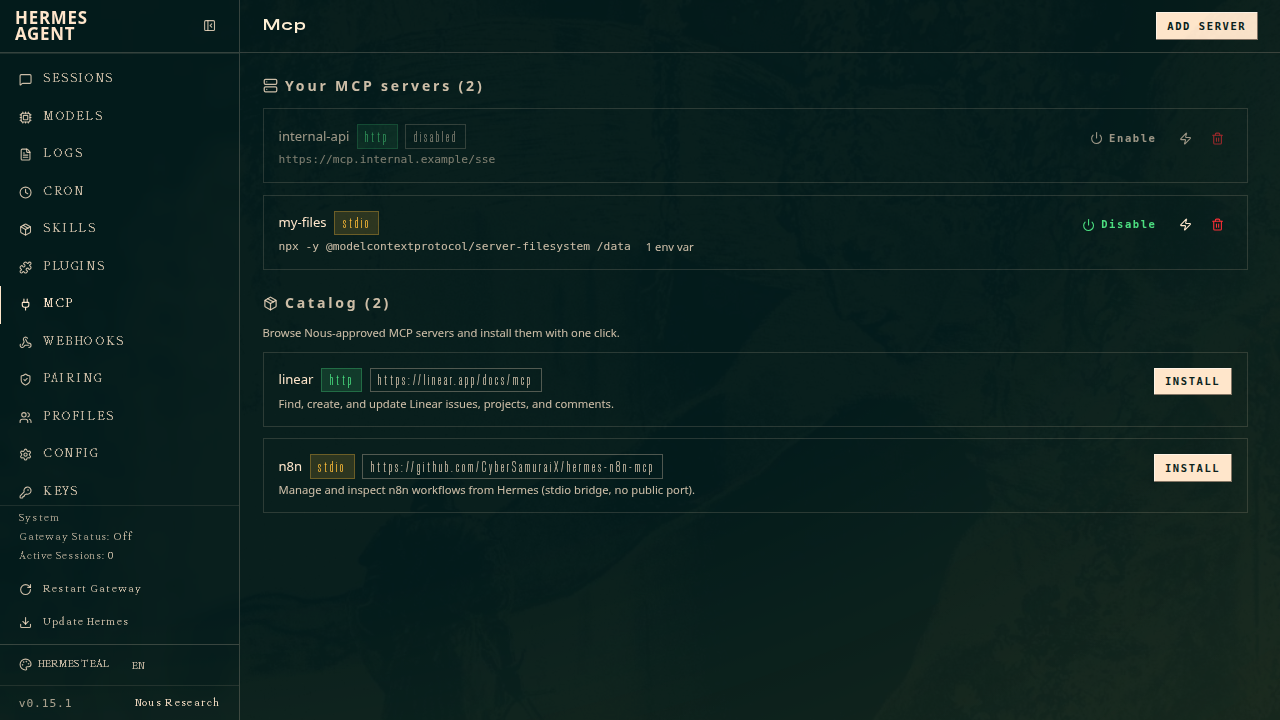
- MCP , add, enable/disable, and test MCP (Model Context Protocol) servers without touching the CLI, plus a one-click install catalog.
- Webhooks , manage dynamic webhook subscriptions with hot-reload (no gateway restart needed).
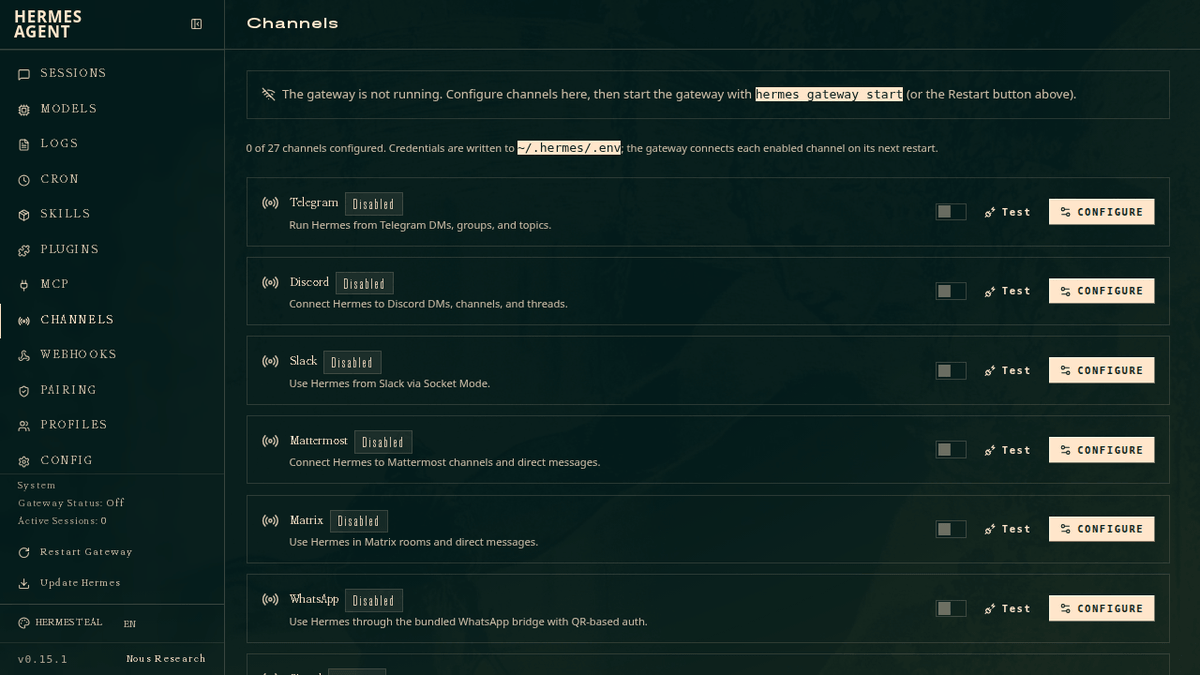
- Channels , connect to any messaging platform (Telegram, Discord, Slack, Matrix, WhatsApp, Signal, iMessage, and more) from the browser.
- System , live host stats, gateway lifecycle controls, memory management, credential rotation pools, and one-click ops like backup, security audit, and
hermes doctor.
The embedded terminal is the clever bit
The Chat tab deserves a closer look. Rather than building a new chat UI from scratch, Nous Research took a different approach: they run the real Hermes TUI binary on the server and stream its ANSI output to the browser through xterm.js's WebGL renderer. Keystrokes travel back over a WebSocket to a POSIX pseudo-terminal (PTY). The result is that everything that works in the terminal , slash commands, tool-call cards, markdown streaming, approval prompts, theming , works identically in the browser tab.
You can also resume any past session directly from the Sessions tab. Clicking the play icon jumps to /chat?resume=<id> and reloads the full conversation history. Close the browser tab and the PTY is cleaned up cleanly on the server side.
Remote access and security
By default, the dashboard binds to 127.0.0.1 with no authentication required , fine for local use. When you bind to a non-loopback address (e.g. --host 0.0.0.0), an auth gate automatically engages. For a backend reachable beyond your own machine , a VPS, a public host, anything internet-facing , the recommended provider is OAuth via Nous Portal. The bundled username/password provider is the quickest option when the backend is on a trusted LAN or reachable only over a VPN, but is not suitable for direct public-internet exposure.
There's also a self-hosted OIDC path for teams that run their own identity provider. Keycloak, Authentik, Auth0, Okta, and any other conformant OIDC server work out of the box. The dashboard implements a fail-closed design: if the gate would engage but no auth provider is configured, the server refuses to start entirely rather than silently serving an unprotected panel.
A REST API for automation
The dashboard isn't just a UI , it exposes a full REST API that the frontend itself consumes, meaning anything you can do in the browser you can also script. Useful endpoints include:
GET /api/analytics/usage?days=30, token usage and cost dataPOST /api/cron/jobs, create a scheduled agent job programmaticallyPOST /api/cron/jobs/{job_id}/trigger, fire a cron job immediately outside its scheduleGET /api/sessions/search?q=..., full-text search across all message historyPOST /api/gateway/restart, restart the messaging gateway
There's also a new /reload slash command in the CLI. After updating API keys through the dashboard, running /reload in an active session picks up the changes immediately without restarting the agent process.
Part of a bigger push
The v0.15 release included a brand-new native desktop app built across 100 PRs and 159 commits in a single week, giving users Hermes as a real macOS/Linux/Windows application with one-click install, in-app self-update, and the ability to connect to a remote Hermes gateway over OAuth or username/password. Alongside it, the web dashboard grew a full browser-based administration panel covering MCP catalog, messaging channels, credentials, webhooks, memory, and pluggable OIDC/username-password login.
The dashboard is available now as part of Hermes Agent, which is MIT-licensed and free to use. It's open source under the MIT License, built by Nous Research, and all data stays on your machine. For teams running Hermes on a remote server or homelab, this update meaningfully lowers the operational overhead of keeping the agent configured and healthy , no more SSH sessions just to rotate an API key or check what the gateway is doing.