
iOS-OCR-Server Turns Your Idle iPhone Into a Free Private OCR Engine
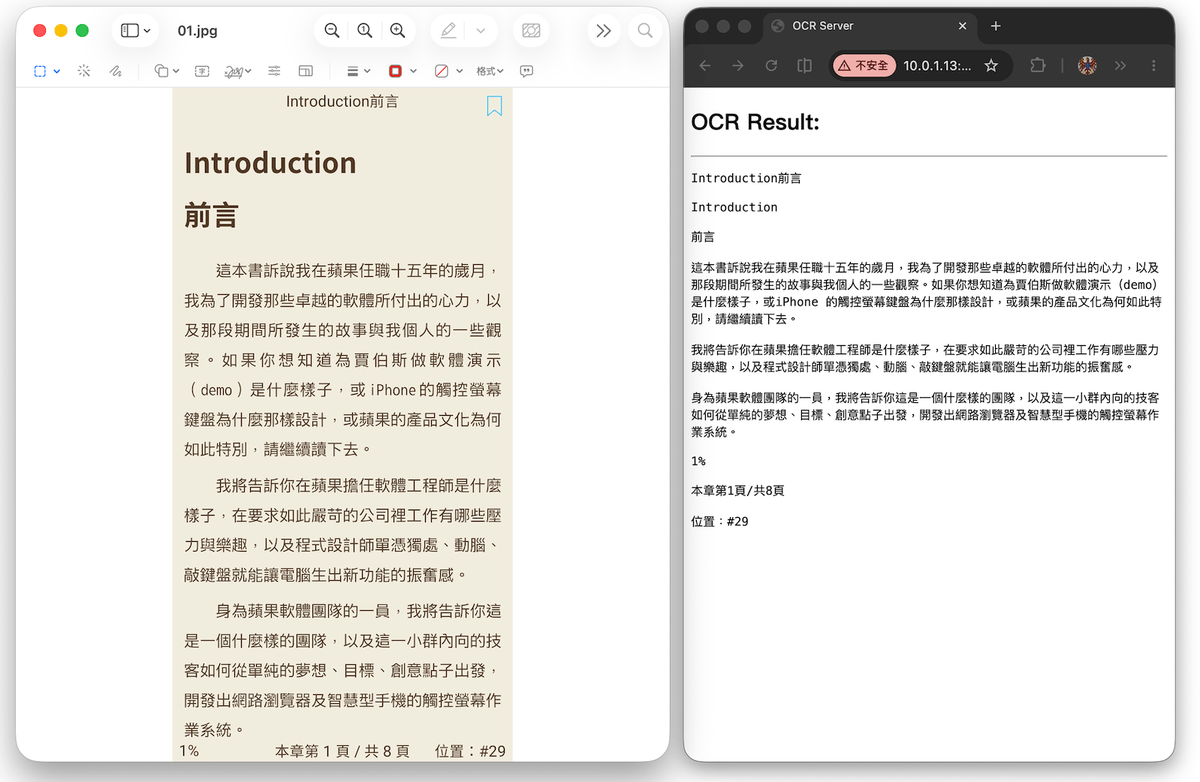
iOS-OCR-Server turns any iPhone into a local HTTP OCR endpoint, giving your scripts free, private, on-device text extraction via Apple's Vision Framework
Takeaways
- What it is: iOS-OCR-Server turns any iPhone into a local HTTP OCR server using Apple's Vision Framework.
- How to use it: Install the app, POST images to
http://<IP>:8000/upload, get back JSON with text and pixel-level bounding boxes. - Cost: Free on the App Store (iOS 18.4+); source is MIT-licensed on GitHub. Optional $4.99 tip jar.
- New in recent updates: Document paragraph detection via
/docOCRendpoint (iOS 26+), using Apple's newRecognizeDocumentsRequestAPI. - Privacy: 100% local processing -- no data leaves the device or the local network.
- Limitations: Requires screen-on for continuous operation; document paragraph mode needs iOS 26; single-device throughput is limited.
iOS-OCR-Server is a Swift app that turns an idle iPhone into a local OCR server. You install the app, it spins up an HTTP server on port 8000, and any machine on the same network can POST an image and get back structured JSON with extracted text, bounding boxes, and pixel coordinates. No API keys, no cloud bills, no data leaving your LAN.

The hardware angle nobody talks about
Most developers reach for Tesseract or a cloud API when they need OCR. Both have real costs: Tesseract requires tuning and struggles with real-world photos, while cloud APIs charge per page and ship your documents to a third party. The insight here is that the iPhone you already own is running a genuinely capable on-device ML stack 24/7. Apple's proprietary OCR implementation provides excellent accuracy and speed compared to other on-device OCR engines such as Tesseract. iOS-OCR-Server just puts an HTTP interface in front of it.
Apple's Vision OCR is impressively good, and actually considered better than ABBYY FineReader even for basic OCR. That's the engine powering this server, running entirely on-device with no round-trips anywhere.
How it actually works
The app turns your iPhone into a powerful local OCR server using Apple's Vision Framework, with no cloud dependencies, unlimited usage, and complete privacy. Under the hood, the app uses Apple's RecognizeTextRequest API (the modern replacement for the older VNRecognizeTextRequest), which runs a neural text detection and recognition pipeline entirely on the Neural Engine of the iPhone's chip. The app wraps this in a Vapor-based HTTP server, so any HTTP client can talk to it.
The workflow is straightforward:
- Launch the app -- the server starts automatically