
MLX LoRA Studio Lets Mac Owners Fine-Tune AI Without a Single Terminal Command
MLX LoRA Studio brings GUI-based LLM fine-tuning to Apple Silicon Macs — 9 algorithms, zero cloud, zero code required
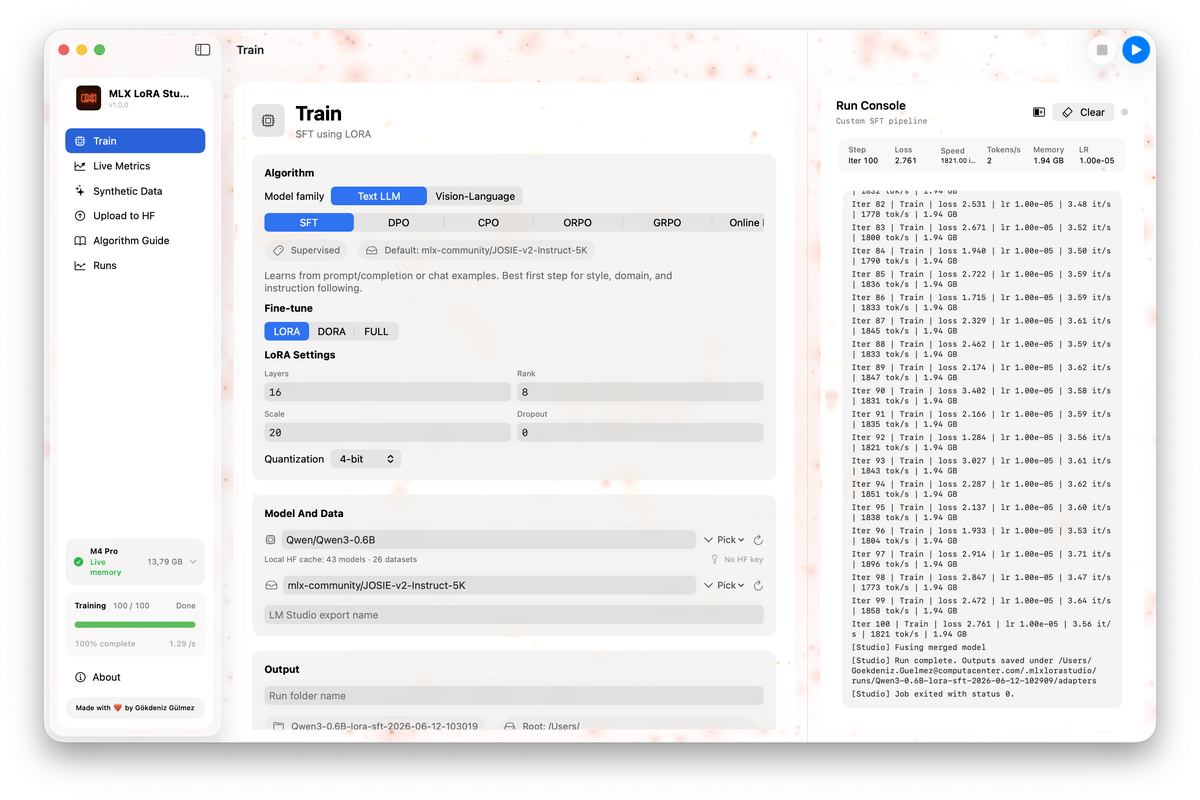
Takeaways
- Native Mac fine-tuning GUI: MLX LoRA Studio is a free, open-source SwiftUI app for fine-tuning LLMs fully on-device on Apple Silicon Macs.
- 9 training algorithms: Supports SFT, DPO, CPO, ORPO, GRPO, Online DPO, XPO, RLHF Reinforce, and PPO — all selectable from a single UI.
- Four adapter types: LoRA, DoRA, QLoRA (4/6/8-bit), full fine-tuning, and Quantization-Aware Training (QAT) are all supported.
- Zero setup: The app auto-provisions a Python environment and includes a ResourceGuard that prevents OOM crashes before a run starts.
- Built-in synthetic data generation: Generate SFT pairs and DPO triples from local or remote models, preview them in-app, and feed them directly into training.
- Free and MIT-licensed: Available via the project website or buildable from source on GitHub; requires macOS 14+ on Apple Silicon with 16 GB RAM minimum.
MLX LoRA Studio is a new open-source, native macOS app that turns LLM fine-tuning into something that feels like using a normal Mac application. Pick a base model from your Hugging Face cache, point it at a dataset, choose a training algorithm, and hit Run. No Python environment to wrangle, no Jupyter notebook to babysit, no GPU rental required.
The app is written in SwiftUI + AppKit and distributed as a single .app and an installable .dmg. It targets macOS 14+ on Apple Silicon only, since it depends on the MLX framework, which is Apple Silicon-exclusive. The minimum spec is 16 GB of RAM, with 24 GB or more recommended for models at 13B parameters and above.
The problem it actually solves
Fine-tuning on a Mac has always been technically possible but practically painful. Before tools like this, "fine-tuning on a Mac" meant cobbling together half-working scripts and praying your laptop didn't thermal throttle. The MLX framework changed the underlying capability, but you still had to know your way around a terminal, Python environments, and YAML configs.
MLX LoRA Studio removes that entire layer. The app is a graphical front-end to the mlx-lm-lora Python training pipeline, with Swift-side services around it: environment discovery, live memory monitoring, a ResourceGuard that keeps the GPU from being driven into swap, run archival, and Hugging Face upload. The first time you start a run, Studio will discover or provision a Python environment with the right dependencies , no terminal needed.
There is also a real hardware advantage to training on Apple Silicon that is easy to overlook. The unified memory architecture means your entire RAM pool is available for training , no separate VRAM limit. A 32 GB MacBook Pro can fine-tune models that would crash a 24 GB RTX 3090. The tradeoff is speed: NVIDIA hardware trains 2-4x faster when the model fits in VRAM. But for anyone who already owns a high-RAM Mac and wants to experiment without renting cloud GPUs, the math works out.